How to Get Help with Dover
Ways to get help with Dover: chat in the app, Slack for Growth and Concierge plans, and the Support team's hours of 6am to 5pm PT.
💬 Get Help in the Dover App
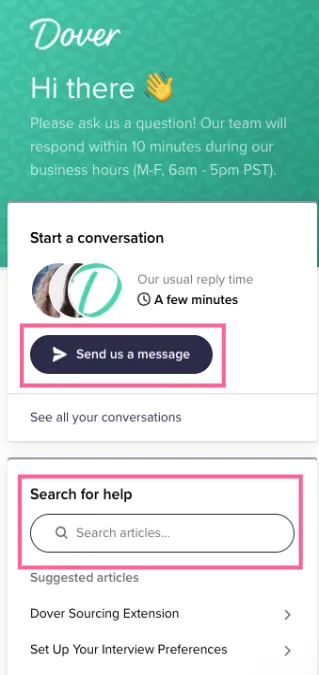
Section titled “💬 Get Help in the Dover App”1️⃣ Click the Chat icon in the lower right hand corner on any page in the Dover App

2️⃣ Click Send us a message to connect with our Support Team or Search for help to browse Dover’s Help Center articles.
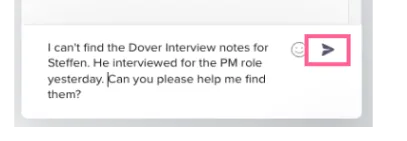
3️⃣ Type a message click the Send icon
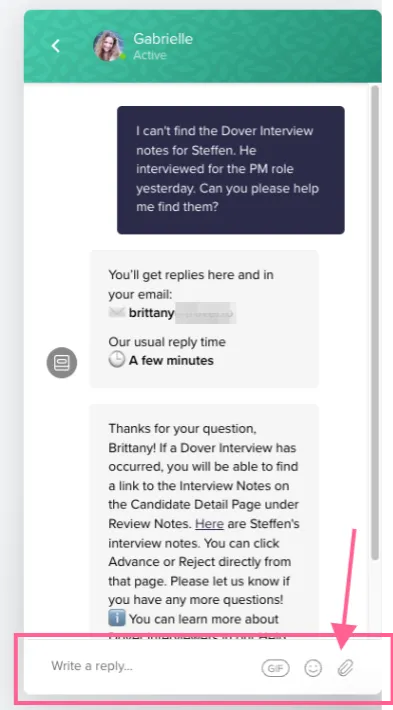
4️⃣ You can continue to talk to our Support team, and even send us attachments to help Support help you!
🗨️ Get Help in Slack
Section titled “🗨️ Get Help in Slack”If you’re on Dover’s Growth or Concierge plans, you can send Dover a Slack message in your Dover Job Slack channel!
Whenever you message in your Dover Job Slack channel, the Dover Support Team will be able to see your message and take action or surface it to your Customer Experience Partner or Customer Success Manager as needed.

💡 Want to learn more about the different teams at Dover? Click here!
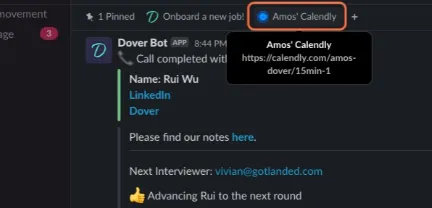
If you have a dedicated Customer Success Manager, you will find a link in your Job Slack Channel to their Calendly to schedule an ad-hoc call with them.
🕘 When can I get help?
Section titled “🕘 When can I get help?”The Dover Support team is available in the Chat or in Slack between 6am - 5pm PT.
The @DoverSupportTeam account is staffed by several of our top support team members. Please note that the Dover Support Team does not respond to DMs in Slack.

